[Sirius Internals] Building the repo and testing the extension
This is a series to understand the internals of SiriusDB, a GPU-native SQL engine. It plugs into existing databases like DuckDB and runs SQL queries on the GPU. Sirius outperforms both DuckDB (single node, CPU) and ClickHouse (distributed, CPU) on TPC-H.
I am writing this series to help understand the design and codebase of Sirius better, as large codebases can be difficult to navigate.
Clone
The Sirius project uses few other projects as dependencies.
duckdb- Sirius is built as an extension to DuckDB and the extension must be compiled against the same exact duckdb version that it ships with.cucascade- This is used for tiered memory management across GPU VRAM, host RAM and disk which allows Sirius to handle datasets larger than GPU memory by spilling to lower tiers.
There are other dependencies like substrait, vcpkg etc. all of which are included as submodules. According to git-scm, the issue with using libraries is that they are difficult to customize and deploy. Copying the source code of a project into your own project makes it difficult to merge custom changes with upstream changes. Git addresses this by using submodules, which allows you to keep a Git repository as a subdirectory of another Git repository. To view all the submodules that Sirius uses, run git submodule status.
Clone the repository with the --recurse-submodules flag.
git clone --recurse-submodules https://github.com/sirius-db/sirius.gitThe submodules’ code is in their respective folders under the root of the repository.
Build
Sirius uses the pixi package manager, which provides reproducible and isolated environments. Activate the pixi shell using:
pixi shellNow it is time to build the repository. The root contains a Makefile which calls CMake with Ninja configured as the build tool. The repository is built as follows:
CMAKE_BUILD_PARALLEL_LEVEL=$(nproc) make
The variable CMAKE_BUILD_PARALLEL_LEVEL specifies the maximum number of concurrent processes to use during the build. nproc is the total number of processors in the system. So the build tool will use all the processors for executing jobs. This can sometimes exhaust RAM during large builds, causing OOM or build failures. You can set a small value at first (1 or 2) and monitor the RAM usage to determine if the level should be increased. During development, export it as an environment variable so that the level doesn’t have to be passed everytime.
CMAKE_BUILD_PARALLEL_LEVEL=2 make   # I use 2 on a 16GB system

# To avoid passing the value each time
export CMAKE_BUILD_PARALLEL_LEVEL=2  # set as environment variable
make # And then run make
Build artifacts
After the build completes, the build directory contains the build artifacts. Sirius is used as a DuckDB extension. The key build artifacts are:
build/release/duckdb - DuckDB CLI binary
build/release/extension/sirius/sirius.duckdb_extension - Sirius Extension
Extensions are built for a specific version of DuckDB. Loading the extension into a different DuckDB version (like a system-wide DuckDB installation) may fail with load-time or runtime failures. It is guaranteed that the DuckDB binary generated by our build is the version the extension is built for (the DuckDB submodule is pinned to the specific release tag).
pixi.toml file mentions the DuckDB version.
[feature.dev-libs.dependencies]
librmm = "*"
libcurand-dev = "*"
yaml-cpp = "*"
libabseil = "*"
duckdb = "=1.5.2"
spdlog = "1.8.*"
sqlite = "3.*"
rust-src = "*"
liburing = "*"
Config
GPU execution requires a config file which provides hardware topology, memory space config, thread pool config etc. Sirius searches for a config file in a certain order as specified in sirius/docs/super-sirius/configuration.md:
SIRIUS_CONFIG_FILE- environment variable — explicit path./sirius.yaml— current working directory~/.sirius/sirius.yaml— user’s home directory
An example config file is provided in test/cpp/integration/integration.yaml . I used a simpler config file by creating sirius.yaml in the root of the repository with the following config:
sirius:
  memory:
    gpu:
      usage_limit_fraction: 0.5
This specifies the fraction of total VRAM to use as Sirius’s GPU memory capacity. The rest of the values are the system default values as specified in sirius/docs/super-sirius/configuration.md.
Note: Consumer GPUs (GeForce series) have known limitations with CUDA async memory pool allocations. The driver may refuse large single-shot pool pre-allocations even when VRAM is otherwise free. Try a small GPU memory limit and try increasing the limit if there is no error while loading the extension.
Load the extension
We can now run the DuckDB CLI binary, load the Sirius extension and test it out. DuckDB enforces digital signatures on extensions for security, requiring verification that binaries come from trusted sources. To use custom, locally built, or third-party extensions (which lack these signatures), you must explicitly permit them. This just requires passing an -unsigned flag.
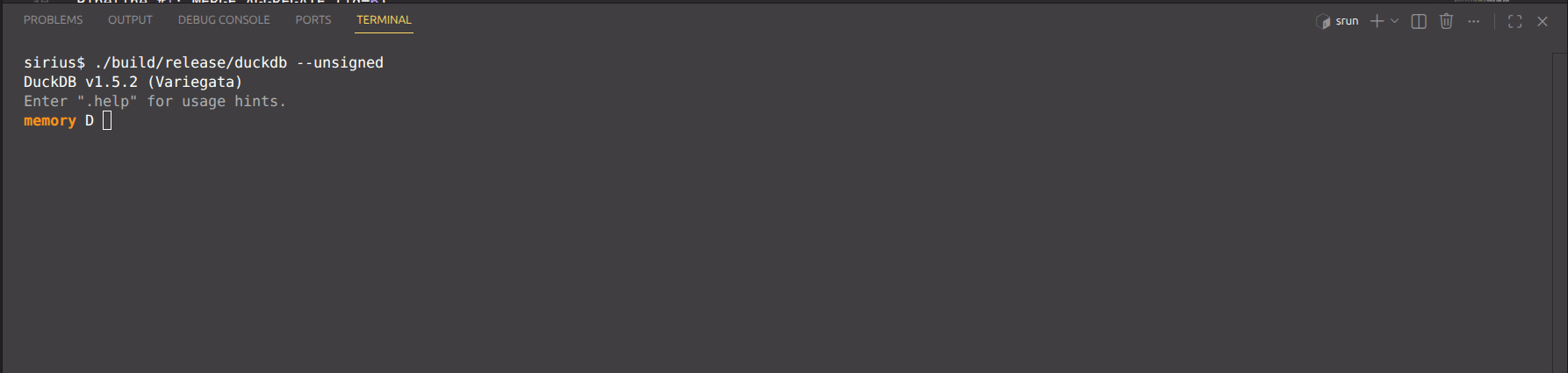
./build/release/duckdb --unsignedThis should open the DuckDB prompt as follows:
Load the extension:
LOAD 'build/release/extension/sirius/sirius.duckdb_extension';Test the extension
The duckdb submodule has a data folder with a lot of dummy data files that can be used to test Sirius. Let’s now execute some queries on the CPU and GPU.
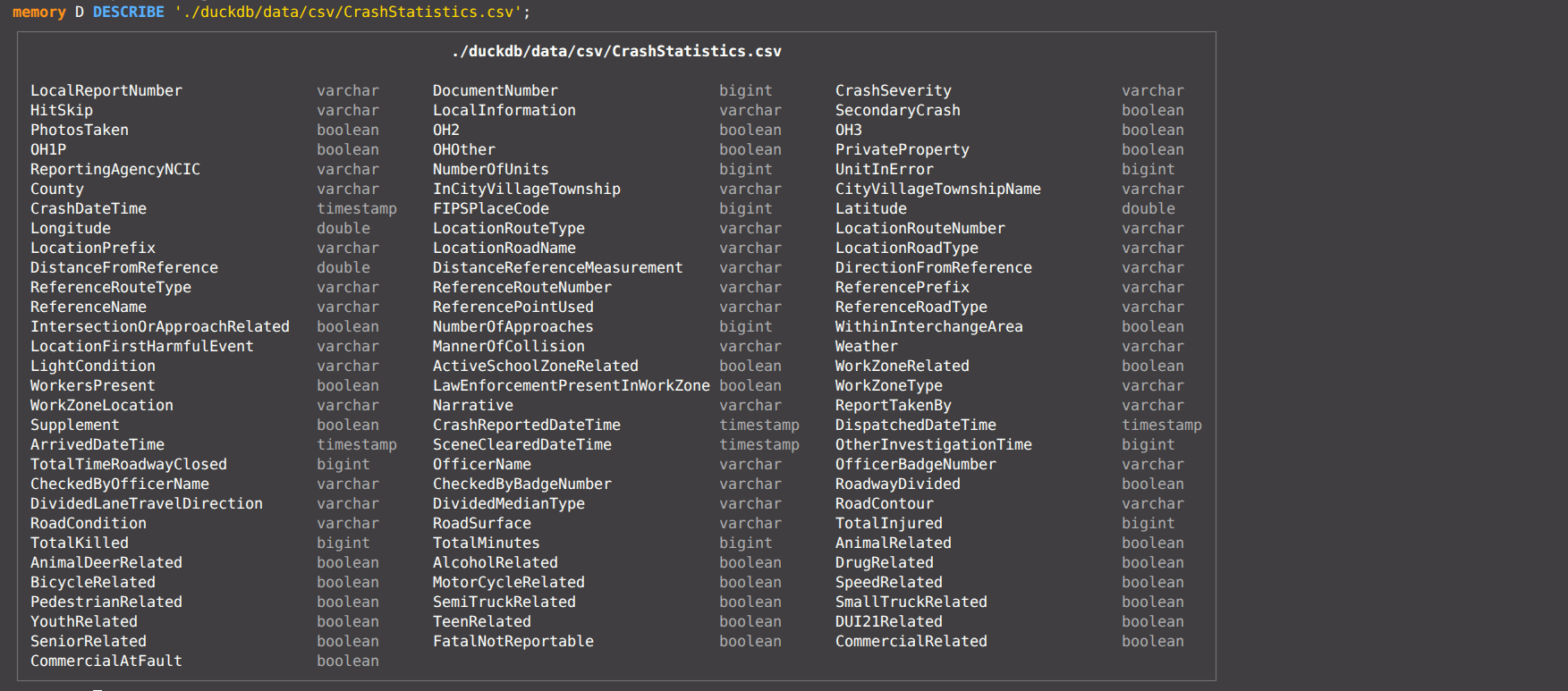
The DESCRIBE keyword in DuckDB can be used to view the schema of a table. Let’s look at a file duckdb/data/csv/CrashStatistics.csv by running
DESCRIBE './duckdb/data/csv/CrashStatistics.csv';The schema of the CSV file is displayed. CSV files do not natively support data types and DuckDB infers the types.
Let’s now execute a simple query in DuckDB which runs on the CPU.
SELECT COUNT(*) FROM './duckdb/data/csv/CrashStatistics.csv';
Now let’s execute this query on the GPU. To execute a query on the GPU we need to pass the query as follows: CALL gpu_execution('query') where the CALL keyword is used to invoke table functions.
CALL gpu_execution('SELECT COUNT(*) FROM ''./duckdb/data/csv/CrashStatistics.csv''');
This message indicates that the query could not be executed on the GPU and it falls back to CPU execution. Let’s look at the log file in the /log directory to understand what’s going on. We see the following error message:
[2026-05-22 03:04:37.799] [info] [:] QueryBegin: CALL gpu_execution('SELECT COUNT(*) FROM ''./duckdb/data/csv/CrashStatistics.csv''');
[2026-05-22 03:04:37.799] [info] [:] Connection opened.
[2026-05-22 03:04:37.811] [info] [telemetry_context.cpp:65] Telemetry context initialized (engine=siriusDB)
[2026-05-22 03:04:38.274] [error] [sirius_extension.cpp:471] Error in SiriusGeneratePhysicalPlan: Table function '{}' is not supported in Sirius
Searching for the the string Table function '{}' is not supported in Sirius leads us to the file src/planner/sirius_plan_get.cpp:
static const std::unordered_set<std::string> kSupportedScanFunctions = {
    "seq_scan", "parquet_scan", "read_parquet", "iceberg_scan"};
if (kSupportedScanFunctions.find(op.function.name) == kSupportedScanFunctions.end()) {
  throw duckdb::NotImplementedException("Table function '{}' is not supported in Sirius",
                                          op.function.name);
}
As of today, CSV scan is not supported yet in Sirius, but a Parquet file scan is. Parquet is an “open source, column-oriented data file format designed for efficient data storage and retrieval”. It natively supports various data types. Let’s test GPU query execution on a Parquet file. Let’s use the file /duckdb/data/parquet-testing/aws1.snappy.parquet.
CALL gpu_execution('SELECT COUNT(*) FROM ''./duckdb/data/parquet-testing/aws1.snappy.parquet''');
This query executes on the GPU and produces the output. The logs show the pipeline overview, pipeline DAG and execution time.
[2026-05-22 03:15:51.066] [info] [sirius_engine.cpp:351] Query Plan:
=== Pipeline Overview ===
Pipeline #0: GPU_PARQUET_SCAN (id=5) -> UNGROUPED_AGGREGATE (id=1)
  Output: -> MERGE_AGGREGATE [port: default, barrier: FULL]
Pipeline #1: MERGE_AGGREGATE (id=6)
  Input: <- Pipeline #0 [on: MERGE_AGGREGATE (id=6), port: default, barrier: FULL]
  Dependencies: Pipeline #0
  Output: -> RESULT_COLLECTOR [port: default, barrier: FULL]
Pipeline #2: RESULT_COLLECTOR (id=4)
  Input: <- Pipeline #1 [on: RESULT_COLLECTOR (id=4), port: default, barrier: FULL]
  Dependencies: Pipeline #1

=== Query Plan DAG ===
┌────────────────────────────┐
│ Pipeline #2                │
│ RESULT_COLLECTOR (id=4)    │
│ Input(#1): FULL            │
└─────────────┬──────────────┘
              │
┌────────────────────────────┐
│ Pipeline #1                │
│ MERGE_AGGREGATE (id=6)     │
│ Input(#0): FULL            │
└─────────────┬──────────────┘
              │
┌────────────────────────────┐
│ Pipeline #0                │
│ UNGROUPED_AGGREGATE (id=1) │
│ GPU_PARQUET_SCAN (id=5)    │
└────────────────────────────┘

[2026-05-22 03:15:53.468] [warning] [gpu_pipeline_task.cpp:56] gpu_pipeline_task: operator 'GPU_PARQUET_SCAN' (id=5) output batch 0 column count mismatch: got 110, expected 1
[2026-05-22 03:15:53.481] [info] [sirius_extension.cpp:522] Execute query time: 2415.21 ms
[2026-05-22 03:15:53.481] [info] [:] Connection closed.
[2026-05-22 03:15:53.481] [info] [:] QueryEnd
Conclusion
This tutorial teaches the basic setup of Sirius and tests the extension on actual SQL queries. Look out for upcoming tutorials on memory management through cuCascade, operator implementation etc.